For most iOS device owners, data loss is really a head-thumpingly thing. Are you still troubled by the issue on how to get back your lost iPhone files? If so, then you should not miss the iPhone Backup Extractor here. With it, you can:

"I lost all my valuable photos of my journey to France. I even thought I permanently lost them after I found this. But thanks for this program. I got all the nice memory back, really works!!!"
- Reviewed by Sally

"Really helpful, i've got all my iPhone data back from iTunes backup, thanks! This is the most powerful one among the software i have ever used before. And it is easy to operate!" - Shanly
"This program really works for my iPhone 4s; recently most of my iPhone data was lost when I failed to jailbreak it. But fortunately, it has really done a big favor!" - Wikitily
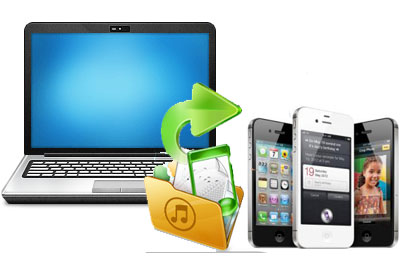
Many iPhone users are troubled by data loss. This iPhone Backup Extractor is able to extract data from iPhone backup which is generated by iTunes. That means as long as you have synced your iPhone with iTunes, we can use this software to recover lost data for iPhone when your iPhone is broken, lost and crashed. Since it is used to recover iPhone data from iPhone backup files, you don't need to connect your iPhone with computer.


iTunes creates a backup record automatically everytime you sync your iPhone with it. Thus, you can easily recover your iPhone data from this backup file. However, you are not allowed to preview or taken any content out of it. iStonsoft iPhone Backup Extractor is designed to help you recover data for your iPhone by extracting iTunes backup files.
iStonsoft iPhone Extractor also works for other iOS devices like iPad, iPad 2, The new iPad, iPad mini, iPad, iPod touch, iPod touch 4, iPod Shuffle, iPod Nano 3/4/5/6, and iPod Classic.
* Available to retrieve media files like photos, videos in camera roll, audios in voice memos, SMS attachments and text files inclulding contacts, messages (including SMS attachment), call history, calendar, notes, reminders and Safari bookmark.
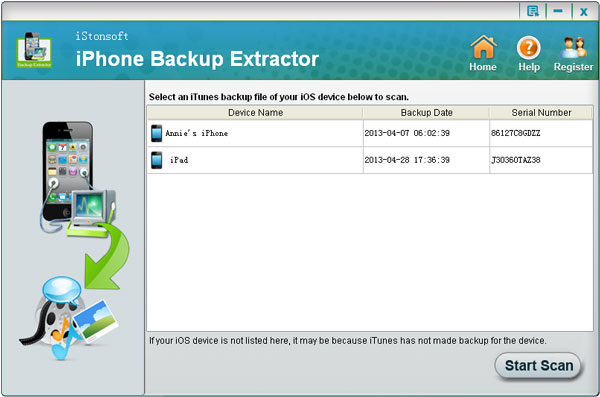
* iPhone Backup Extractor will auto-scan all iTunes backup files from your local disk, scan the device backup files in iTunes and extract the whole content rapidly. All the files recoverable are listed in the scanning result with well-organized file type for you choice.

* Call records, SMS content (including SMS attachment) and contact details like addresses, job title, etc. are readable with this software.
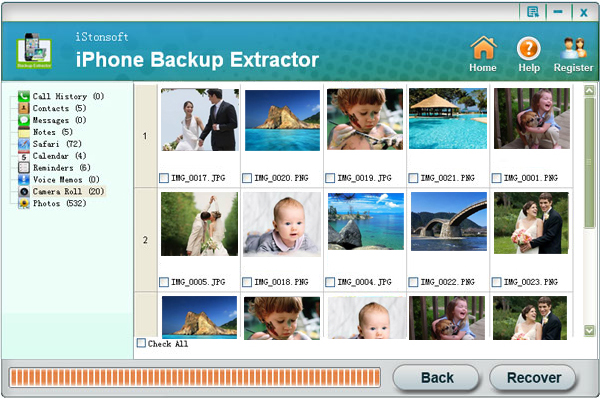
* Media contents such as the photos and videos in camera roll can be previewed in thumbnails and recovered in original format.
* Available to export and check the list of lost files in HTML format.
* Preview and check other files by file category in original quality.
Help you salvage lost data when your iPhone was lost, stolen or severely damaged, just went kaput or is failed to upgrade/jailbreak. You can easily perform the data recovery without connecting your iPhone with computer.
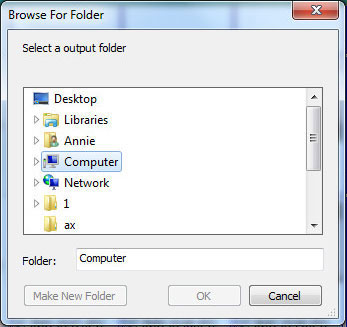
Easy to use interface with related prompts displayed step by step. You can finish the recovery without any hassle within 3 steps: Scan - Preview - Exact.
Risk-free and READ-ONLY process which won't change any setting of your computer without permission.



iStonsoft iTunes Data Recovery
Recover lost photos, text messages or other crucial stuff for your iPhone, iPad and iPod.


This software can recover lost files from iTunes backup for iPad perfectly and quickly.
iStonsoft iPhone Data Recovery
Specially designed to recover notes, photos, contacts, call history, SMS, etc. for iPhone.
Home | Terms & Conditions | Privacy | About Us | Support | Contact Us | Affiliate | Uninstall Guide | Blog | Sitemap
Copyright © 2015 iStonsoft Studio All Rights Reserved.