Data loss is always a big headache for people nowadays. Here the iTunes Data Recovery will do you a favor and help Apple iOS device owners recover lost photos, text messages or other crucial stuff from your iPhone, iPad or iPod easily.

"This tool made me a hero in my wife's eyes after she accidentally deleted all her photos off her iPhone. It was simple to use and recoverd the lost files quickly."
- Reviewed by Thomas

"Wonderful! This is really good recovery software, easy to use and affordable. I would recommend this particular product to anyone who has lost data from an iPad." - Jeffrey
"After upgrading to iOS 6, all contacts disappeared off my iPhone. A Google search brought me to this program. Absolutely amazing. Within minutes it recovered all I want." - Steven


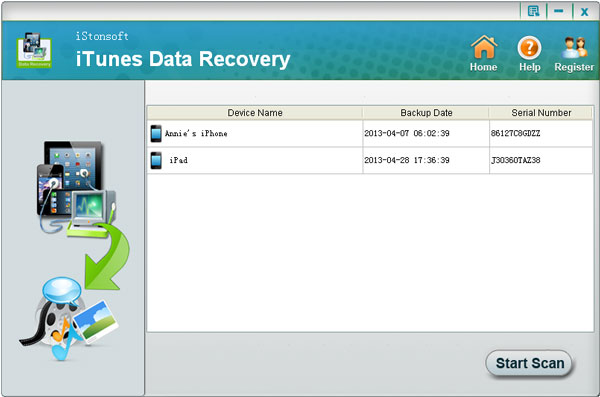
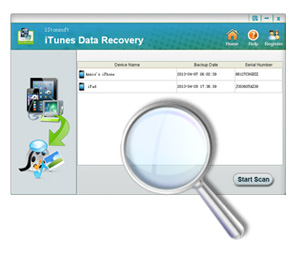
* Everytime we sync iPad/iPhone/iPod with iTunes, it will make backup for the device automatically. This backup file cannot be read or open. While, this data recovery of iTunes can detect and recover lost files from iTunes backup file without opening iTunes or connecting your iOS device.
* Work perfectly for all versions of iPhone, iPad and iPod, including iPhone 5/4S/4/3GS, iPad 2/1, the New iPad, iPad Air, iPad mini, iPad 4 and iPod/touch/Shuffle/Nano/Classic. And we will continue to upgrade the software to keep synchronous with the releasing of new Apple products.
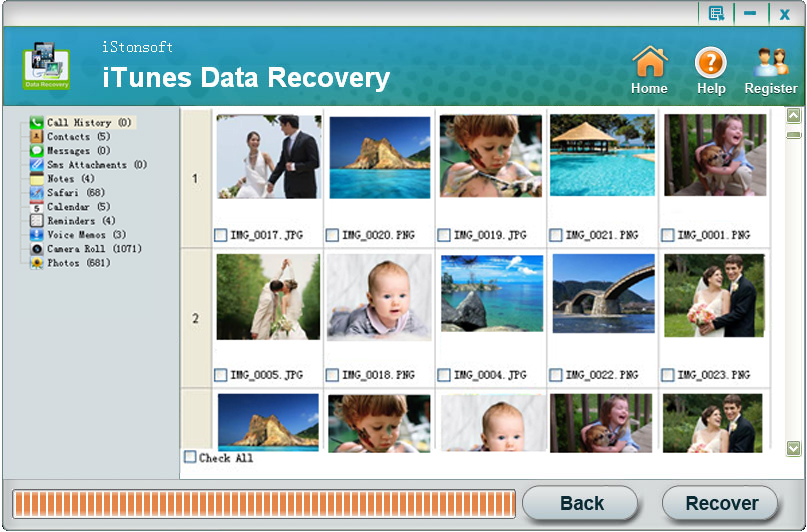
* Available to retrieve media files like photos, videos in camera roll, audios in voice memos, SMS attachments and text files inclulding contacts, messages (including SMS attachment), call history, calendar, notes, reminders and Safari bookmark.
* iTunes Data Recovery will scan the device backup files in iTunes and extract the whole content rapidly. All the files recoverable are listed in the scanning result with well-organized file type for you to choose and confirm which one need to be recovered.

* Call records, SMS (including SMS attachment) and contact details like addresses, job title, etc. are readable with this data recovery software for iPad, iPhone and iPod.
* Media contents such as the photos and videos in camera roll can be previewed in thumbnails and recovered in original format.
* Available to export and check the list of lost files in HTML format.
* Preview and check other files by file category in original quality.
- Inadvertently deleted photos, messages (including SMS attachment), contacts, etc. from your iPhone?
- Videos of family renunin is missing after the iPad is virus attacked?
- Accidentally formatted the iPod and all songs gone?
- Data loss after the failure in upgrading or jailbreaking your iOS device?
- Lost or broken your iPad, iPhone or iPad?
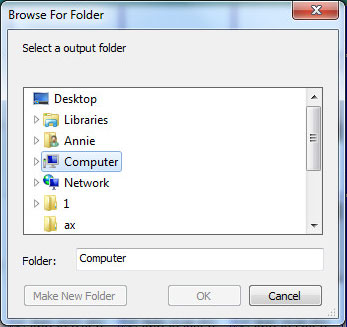
With iTunes Data Recovery, simply click Scan, select files and Recover, all missing data will come back obediently.


iStonsoft iPhone Data Recovery
Specially designed to recover notes, photos, contacts, call history, SMS, etc. for iPhone.


iStonsoft iPad/iPod/iPhone Data Recovery
A versatile tool to recover data from iPad, iPhone and iPod without iDevices connection.

iStonsoft iPad/iPhone/iPod Disk Mode
It becomes easy to add, delete and rename files or folders in iPad, iPhone and iPod in disk mode.
Home | Terms & Conditions | Privacy | About Us | Support | Contact Us | Affiliate | Uninstall Guide | Blog | Sitemap
Copyright © 2015 iStonsoft Studio All Rights Reserved.