PDF tends to be the most favorite document at work due to its features of cross-platform and security. But I'm afraid that it cannot satisfy us all the time. iStonsoft PDF Converter for Mac can solve the bottlenecks - convert PDF to other common formats.

"Good program that is very useful and does PDF conversion quick! Easy to use. Simple interface. Keep up the good work! keep it update..."
- Reviewed by Kalin

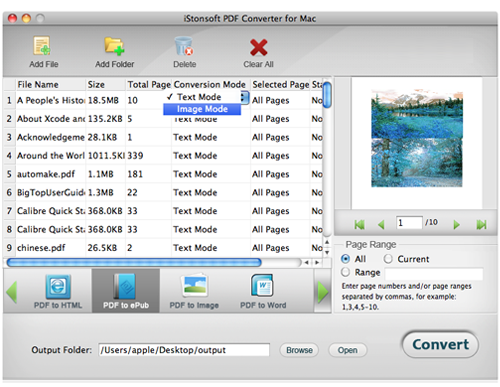
"Simple download, speedy conversion. Reduces huge PDF files to modest-sized EPUB with images omitted. Reduces those with retained images less but still significantly. Looks OK on EPUB reader." - Treecacker
"It's great that you can simply select proper conversion mode list from its interface. This means that you can convert PDF to any document listed on it interface, EPUB, HTML, Word, Text, Image. Wonderful." - Diamondets
The main reason that PDF documents stands out is its ability to appear the same regardless of the system on which it is being viewed. Following closely is the high quality printing and source file flexibility.
Well, there are still many possibilities that we need to convert PDF to other formats. We may want the document more compatible on portable device or modify the document directly. If so, iStonsoft PDF Converter for Mac helps a lot. It is capable of converting Adobe PDF to other popular formats with ease.

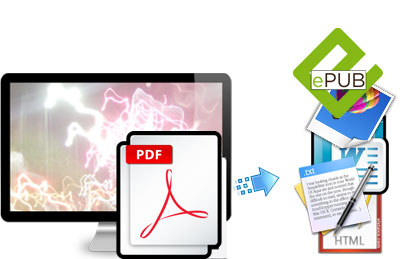
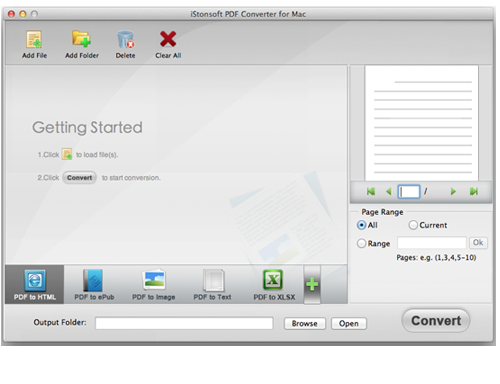
 PDF to HTML page - Convert PDF to HTML so as to publish and share PDF content on the web.
PDF to Word, PowerPoint and Excel -
Convert PDF files to editable MS Office Word, PPT and Excel documents, so you can easily edit
or reuse PDF contents in Word document, PowerPoint slideshows or excel spreadsheets even without reformatting or retyping,
which can really save your precious time.
PDF to Text - Extract and reuse text in PDF documents.
PDF to Image - Convert PDF files to image format, such as PDF to JPEG, PDF to PNG, PDF to GIF, PDF to BMP, PDF to TIFF.
PDF to ePub - Convert PDF to ePub for better enjoying eBooks on iPad, iPhone, iPod
touch, Nook Color, Nook Tablet, Sony Reader, iriver Story HD, Kobo,
Android phones and more other ePub-friendly devices.
You are allowed to convert PDF to desired format freely and accurately.
According to document format you need, this application will replicate
all necessary layouts and formats in the new document. Such as in the
process of PDF to Word, all original text style, images, graphics,
tables, hyperlinks, layout and formatting can be reproduced in created
Word document.
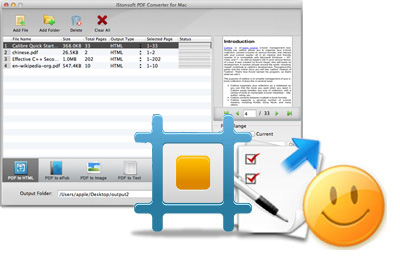
Batch Conversion Mode: Enable you to load as many PDF documents as you
like for one conversion. It can convert multiple PDF document
simultaneously without a loss.
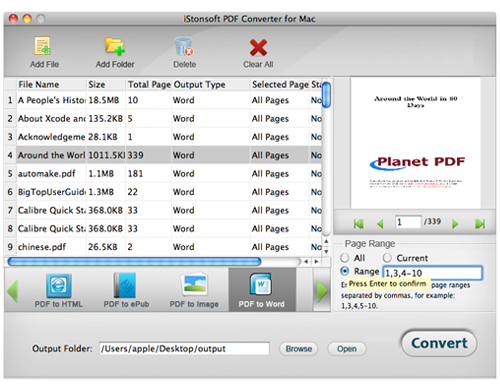
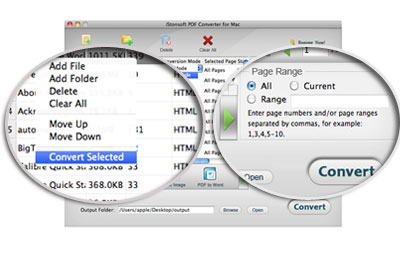
Partition Conversion Mode: You can perform conversion to specific or
checked PDF document to the format you most wanted instantly.
It is feasible to set page range or separated page for conversion.
Along with that, you can set different conversion criterions for other
PDF documents.
As a professional PDF document converter, it has a command line
supported executable in the installation directory. It only converts
document. No personal Info is leaked.
It is a standalone program which does not need network connection
during document conversion. It won't change or overwrite any data on
your computer without requirement.


How to Convert PDF to Word on Mac OS X
How to Convert PDF to Text for Mac
Convert from PDF to JEPG/JPG Image on Mac
Convert Kindle Books from mac to iPad
How to Convert Word to Adobe PDF on Mac
How to Remove PDF Password on Mac
Assist in turning text, Word, images and MOBI to PDF with admirable performance.


iStonsoft PDF to Word Converter for Mac
This software can save PDF document as MS Word format while keep all elements perfectly.

iStonsoft PDF to Image Converer for Mac
It is able to convert PDF files to image in JPEG, JPG, TIFF, PNG, etc. optionally on Mac.
Home | Terms & Conditions | Privacy | About Us | Support | Contact Us | Affiliate | Uninstall Guide | Blog | Sitemap
Copyright © 2015 iStonsoft Studio All Rights Reserved.