Apple's iPhone has become one of the most portable devices nowadays. Are you looking for a reliable way to transfer iPhone music, book, photo, etc. to Mac for better enjoyment or backup? If so, then you can't miss this iStonsoft iPhone to Mac Transfer.

"I have downloaded some songs directly on my iphone 5. now I can transfer these songs to my macbook pro with one-click. this is amazing! I love this handy app, thank you!"
- Reviewed by Olivia

"Only 1 click, all songs on my iPod have been copied to my Mac successfully. Now, I can share these music with anybody else without any limitations. Excellent performance and reasonable price." - Martina
"First of all, I just downloaded the trial version, but I'm really surprised by the cool performance. All things have been exported from my iPhone to Macbook air without any losing. Cool!" - Renne
iStonsoft iPhone to Mac Transfer is the first transfer desktop application, which is specially designed for Mac iPhone users. With it, exporting music, movie, photo, eBooks, audiobook, voice memo, ringtone, camera roll, podcast, TV show, etc. from iPhone to Mac could be a simple task for you. What's more, this program also works well with iPad and iPod. Now, you can manage iPhone files on Mac without the assistance of the iTunes.

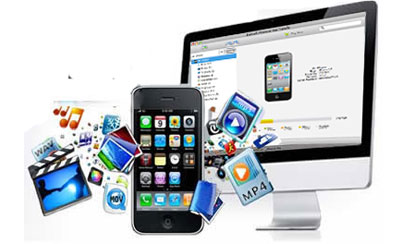
Reading books or watching movies on iPhone has become a popular way of passing time. And people also like to take photos with their iPhone due to its high resolution. Then how to export these precious data to Mac? Here this iPhone to Mac Transfer can help you lots.
 Transfer Music, Movie, Photo, ePub, PDF, Audiobook, Voice Memo, Ringtone, Camera Roll, Podcast, TV Show from iPhone to Mac for backup.
Easily and quickly back up your songs, videos, photos, playlists, podcasts and more from your iPhone to any folder on your Mac computer.
Get the latest iPhone but still not used to manage files on it directly? Don't worry, you can manage all your iPhone files on your Mac computer at ease. To achieve the goal, you may need the help of this powerful iPhone to Mac Transfer.
After connecting and transferring files from iPhone to Mac, you can directly delete, add a new folder, rename file or folder, edit file, etc. as you like.
Also compatible with Apple's iPad and iPod very well.
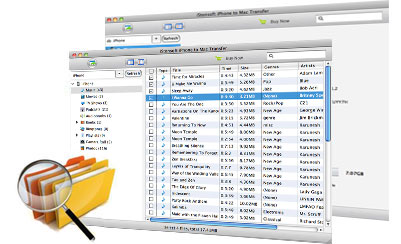
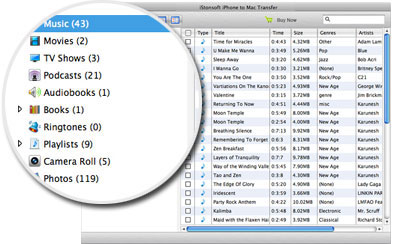
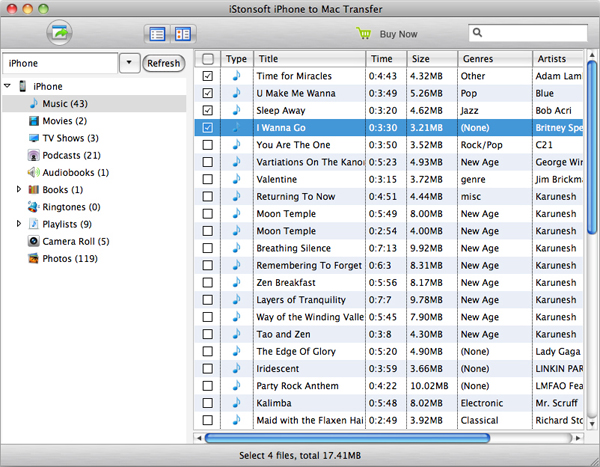
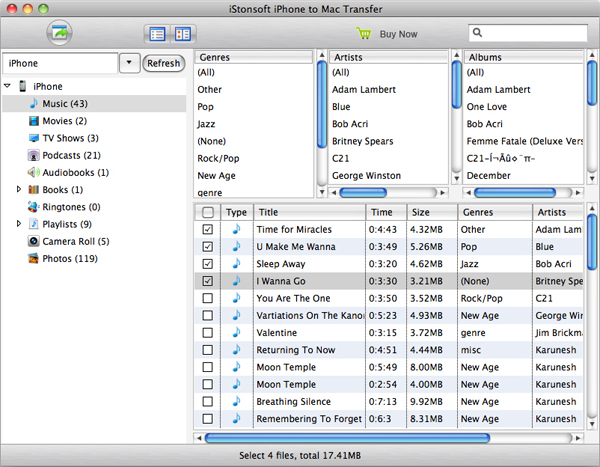
Some people like to preview files before they start the transferring. So iStonsoft iPhone Transfer for Mac provide two different view modes for you to preview any files at your own will.
Supports two modes for viewing movies, music and photos, so you can find what you want quickly when you transfer files.
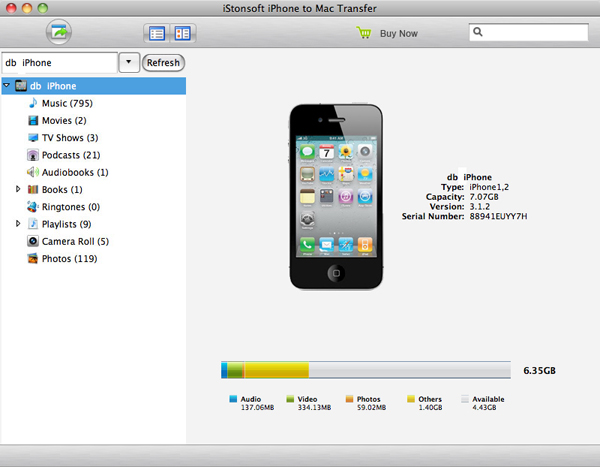
Automatically show you iPhone model, capacity, version, format and serial number.
Locate movie/music/photo in your iPhone with quick search or filter iPhone files by artist, album, genre, composer.
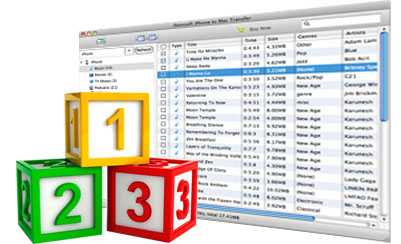
Reliable yet easy-to-use software seems so important for people who are not an expert. So we have tried our best to design this tool which comes with an intuitive and user-friendly interface, personalized icon design, etc. With it, you can finish the transferring as easy as 1-2-3.
All information about iPad model, capacity, version, format and serial number are shown automatically as connect your iPad to computer.
No requirement of any technical professional skills for both beginners and experts.
Standalone program. No need for any other third-party program.
All transferring processes will be finished in a short while.

iStonsoft iPod to Mac Transfer
It can transfer music from iPod touch/nano/shuffle to Mac for backup or other using as you like.


iStonsoft iPad to Mac Transfer
Best tool to transfer music, movie, photos, ringtone, conatact, and TV Show from iPad to Mac.
iStonsoft iPad/iPhone/iPod to Mac Transfer
One click to transfer photos, videos, music, books, playlists, etc. from iDevices to PC.
Home | Terms & Conditions | Privacy | About Us | Support | Contact Us | Affiliate | Uninstall Guide | Blog | Sitemap
Copyright © 2015 iStonsoft Studio All Rights Reserved.