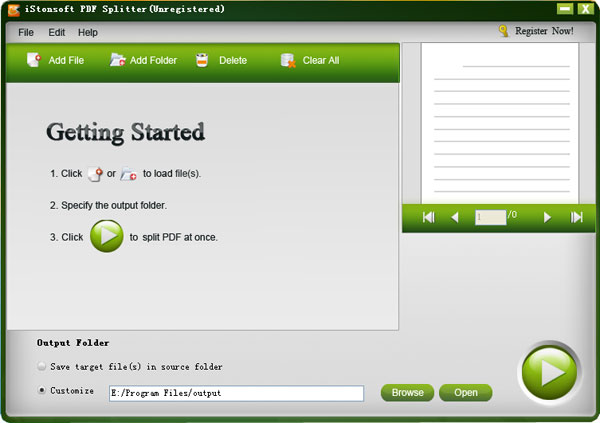
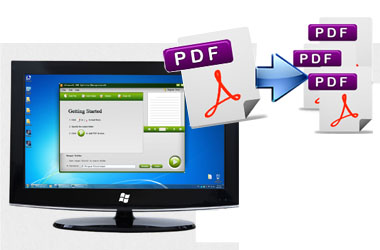
iStonsoft PDF Splitter is a versatile and easy-to-use PDF cutting tool to separate PDF by page ranges, specific page ranges or averagely into several small PDF files according to your preference.

"I love PDF Splitter because it lets me send small files—just what I need—and keep confusion around my office to a minimum. On it, I can customize my splitting. Very satisfied."
- Reviewed by Austin

"iStonsoft PDF Splitter is the simplest I've ever seen to split PDF files. It removes my headache of extracting pages from PDF. A little lovey cost-effective app. I love it." - Edwin
"In the past, it was a headache for me to email PDF files because some of the PDF size is really large. Now with this little app, I can split a large PDF into segments to email." - Hugo
Sometimes you would like to distribute different pages of one multiple PDF file to different people, or you would like to acquire easier approach to the certain pages within a PDF file. Hence to handle the large PDF file that contains hundreds of pages is challenging and time-consuming. In order to reduce the workflow and make PDF files more manageable, applying a PDF splitter to split PDF pages is imperative.

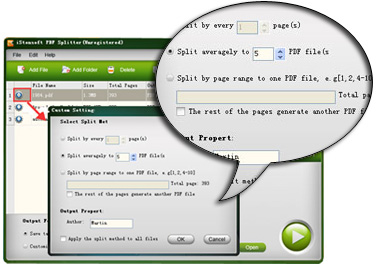
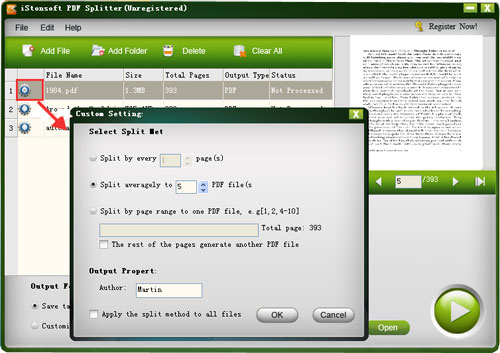
* Split PDF by every n pages: This modes enables you to separate a multi-page PDF into several PDF files with n pages per file.
* Split PDF by page ranges: You can split specific page ranges from one PDF file by setting page ranges or by typing the page number directly. You can even combine the rest of the pages to generate a new PDF file. By selecting range, those unwanted PDF pages can be removed before the PDF splitting.
* Split averagely to n PDF files: split a multi-page PDF file averagely to n PDF files.
iStonsoft PDF Splitter is a lightning-fast desktop application for Windows users to divide a large PDF file into several smaller PDF files. By splitting PDF, you can:
* Cutting PDF can ease the burden of document distribution especially for a large PDF.
* Remove some useless or repeated PDF pages from a PDF file.
* Exact specific PDF pages you want exactly out of whole PDF document.
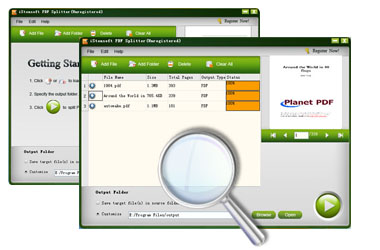
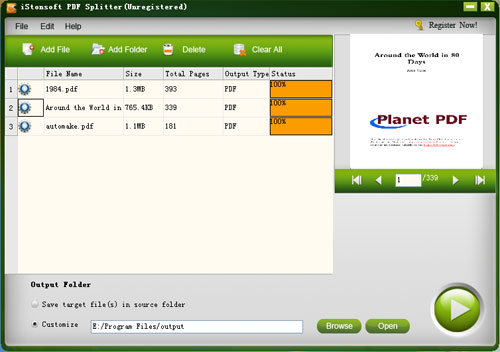
* You can easily select your wanted pages from a multi-pages PDF by viewing the imported PDF files one by one in the Preview thumbnail window. In that way, you can check whether you have added wrong PDF files or you can confirm which pages are those you want to split.
* There are two alternative ways for you to import target PDF files. You can click "Add File" or "Add Folder" from the program interface to load the PDF files. Or if the PDF files are at hand, you can directly drag and drop them into the program to save your time greatly.
* iStonsoft PDF Splitter is a completely standalone program, which can work without installing Adobe Acrobat or Adobe Reader.
* Thanks to the advanced encoding and decoding technology, it always exports high quality outputs in super fast splitting speed and guarantee to preserve the data integrity of original PDF file after splitting.
* The efficient also comes with a name pattern, with which you can freely name the output PDF files after the PDF splitting.


iStonsoft PDF Password Remover
A helpful app to remove PDF security including Owner Password and Open Password in a breeze.


A comprehensive tool to transform PDF documents to ePub, Word, PPT, Excel, Image, HTML, Text quickly.

It is specilized in merging multiple PDF files into a single PDF document perfectly.
Home | Terms & Conditions | Privacy | About Us | Support | Contact Us | Affiliate | Uninstall Guide | Blog | Sitemap
Copyright © 2015 iStonsoft Studio All Rights Reserved.